GrindCraft
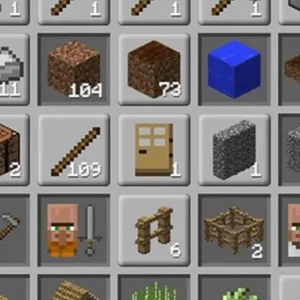
GrindCraft is an idle and clicker game that imitates Minecraft-style resource gathering and crafting. The first minute of gameplay is engaging because you start by manually mining blocks to collect resources, which gives a clear sense of progression immediately.
Players quickly see how clicking earns resources and how those resources can be invested to automate the mining process. This mechanic makes it satisfying to start, as you gradually reduce manual effort while crafting new items.
Keys & controls
- Mouse: mine resources by clicking
- Mouse: navigate menus and buy upgrades
How GrindCraft works
You begin by clicking on blocks to mine resources. These resources can then be used to buy upgrades that automate the mining, allowing you to collect materials without constant clicking. As you gather more resources, you craft better items which help you progress further in the game.
Strategy tips
- Focus on upgrading automation early to reduce manual clicking.
- Balance mining different types of blocks to gather a variety of resources.
- Check available crafting options frequently to optimize resource use.
Common questions
Is GrindCraft free to play?
Yes, GrindCraft is free to play directly in your web browser without any cost.
How do you play GrindCraft?
You start by manually clicking to mine resources, then use these to purchase upgrades that automate mining and crafting.
Can you play GrindCraft on a Chromebook?
Yes, since GrindCraft is a browser-based game, it can be played on Chromebooks with internet access.
Does GrindCraft require an internet connection?
GrindCraft can be played offline once loaded, but normally requires internet to access initially.